react_portfolio


Description
🔍 This project was bootstrapped with Create React App. Personal full stack development portfolio.
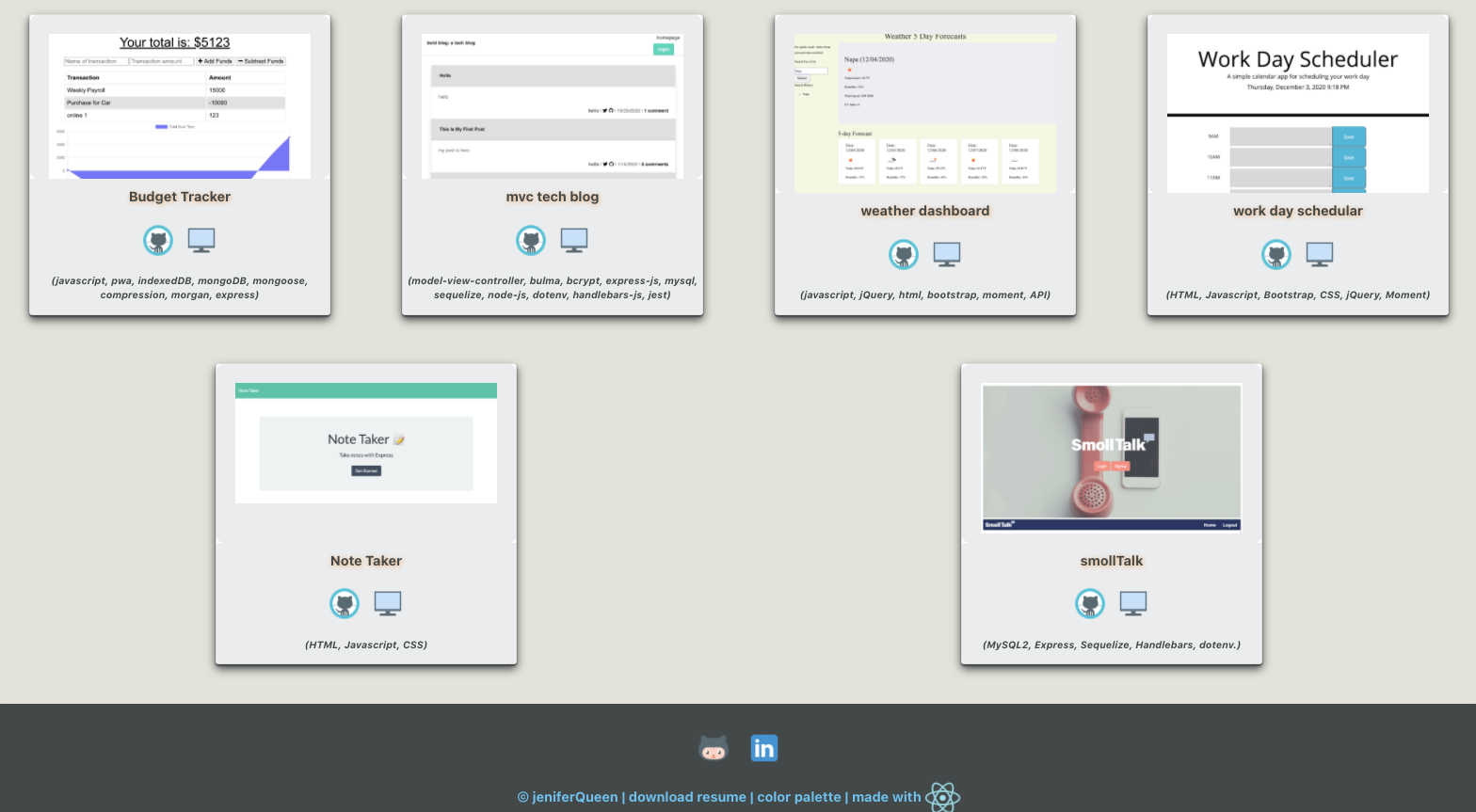
💻 Below is a screenshot of the application:
User Story
AS AN employer looking for candidates with experience building single-page applications
I WANT to view a potential employee's deployed React portfolio of work samples
SO THAT I can assess whether they're a good candidate for an open position
Acceptance Criteria
GIVEN a single-page application portfolio for a web developer
WHEN I load the portfolio
THEN I am presented with a page containing a header, a section for content, and a footer
WHEN I view the header
THEN I am presented with the developer's name and navigation with titles corresponding to different sections of the portfolio
WHEN I view the navigation titles
THEN I am presented with the titles About Me, Portfolio, Contact, and Resume, and the title corresponding to the current section is highlighted
WHEN I click on a navigation title
THEN I am presented with the corresponding section below the navigation without the page reloading and that title is highlighted
WHEN I load the portfolio the first time
THEN the About Me title and section are selected by default
WHEN I am presented with the About Me section
THEN I see a recent photo of the developer and a short bio about them
WHEN I am presented with the Portfolio section
THEN I see titled images of six of the developer’s applications with links to both the deployed applications and the corresponding GitHub repository
WHEN I am presented with the Contact section
THEN I see a contact form with fields for a name, an email address, and a message
WHEN I move my cursor out of one of the form fields without entering text
THEN I receive a notification that this field is required
WHEN I enter text into the email address field
THEN I receive a notification if I have entered an invalid email address
WHEN I am presented with the Resume section
THEN I see a link to a downloadable resume and a list of the developer’s proficiencies
WHEN I view the footer
THEN I am presented with text or icon links to the developer’s GitHub and LinkedIn profiles, and their profile on a third platform (Stack Overflow, Twitter)
Table of Contents
- Description
- User Story
- Acceptance Criteria
- Table of Contents
- Available Scripts
- Testing
- Contributing
- Questions
Available Scripts
In the project directory, you can run:
npm start
Runs the app in the development mode.
Open http://localhost:3000 to view it in the browser.
The page will reload if you make edits.
You will also see any lint errors in the console.
npm test
None at this time
npm run build
Builds the app for production to the build folder.
It correctly bundles React in production mode and optimizes the build for the best performance.
The build is minified and the filenames include the hashes.
Your app is ready to be deployed!
See the section about deployment for more information.
npm run eject
Note: this is a one-way operation. Once you eject, you can’t go back!
If you aren’t satisfied with the build tool and configuration choices, you can eject at any time. This command will remove the single build dependency from your project.
Instead, it will copy all the configuration files and the transitive dependencies (webpack, Babel, ESLint, etc) right into your project so you have full control over them. All of the commands except eject will still work, but they will point to the copied scripts so you can tweak them. At this point you’re on your own.
You don’t have to ever use eject. The curated feature set is suitable for small and middle deployments, and you shouldn’t feel obligated to use this feature. However we understand that this tool wouldn’t be useful if you couldn’t customize it when you are ready for it.
Testing
npm test
Launches test runner in the interactive watch mode.
See the section about running tests for more info.
Contributing
:octocat: Jenifer Queen profile